Quarry
Updated October 09, 2026 19:57
Quarry for macOS · Plain text. Close at hand.
Your notes.
Your files.
Your Mac.
A quiet place to write. A quick way to find what you wrote. Quarry brings search, links, and a comfortable editor to a folder of Markdown files on your Mac. The files stay yours.
A useful home for your notes
Less overhead.
More room to think.
A notes app should make it easier to write something down and find it later. Quarry starts with ordinary files and builds from there.
01 / ORDINARY FILES
A folder you can understand.
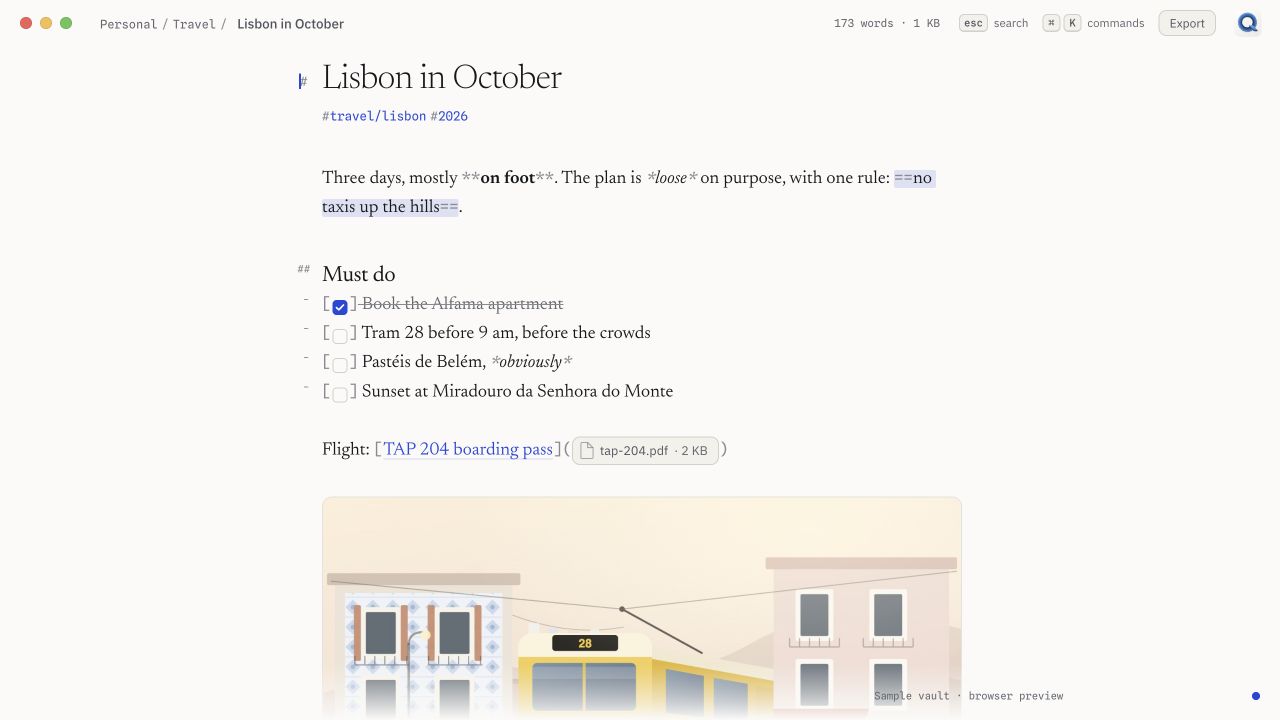
Open a folder of .md files. Keep your own folders, open a note in another editor, or make a backup in Finder. Quarry works with the files you already have.
02 / FIND IT AGAIN
Less hunting. More finding.
Search across your notes, narrow by folder or tag, and see the matching lines beside a preview. You can go from a half-remembered phrase to the note it came from.
03 / ROOM TO WRITE
Keep the words in view.
A quiet editor, readable type, and Markdown formatting that stays close to the text. Light and dark appearances give you the same workspace, whichever suits the room.
01 / SEARCH
The note you need.
The context around it.
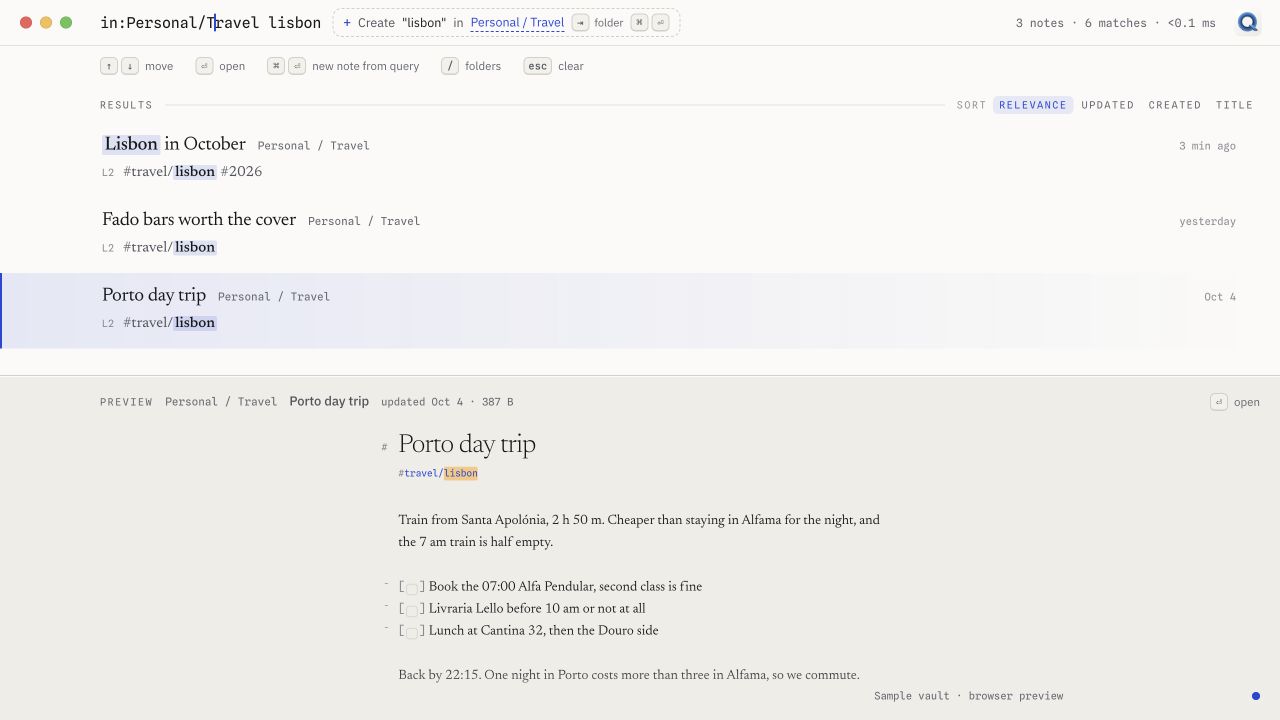
Combine words with filters like in:Personal/Travel, #travel, or has:file. Search by date, use an exact phrase, and leave out a term. Results show the matching lines; the preview lets you read before you open.
02 / ORGANIZE
Your folders.
Your way of thinking.
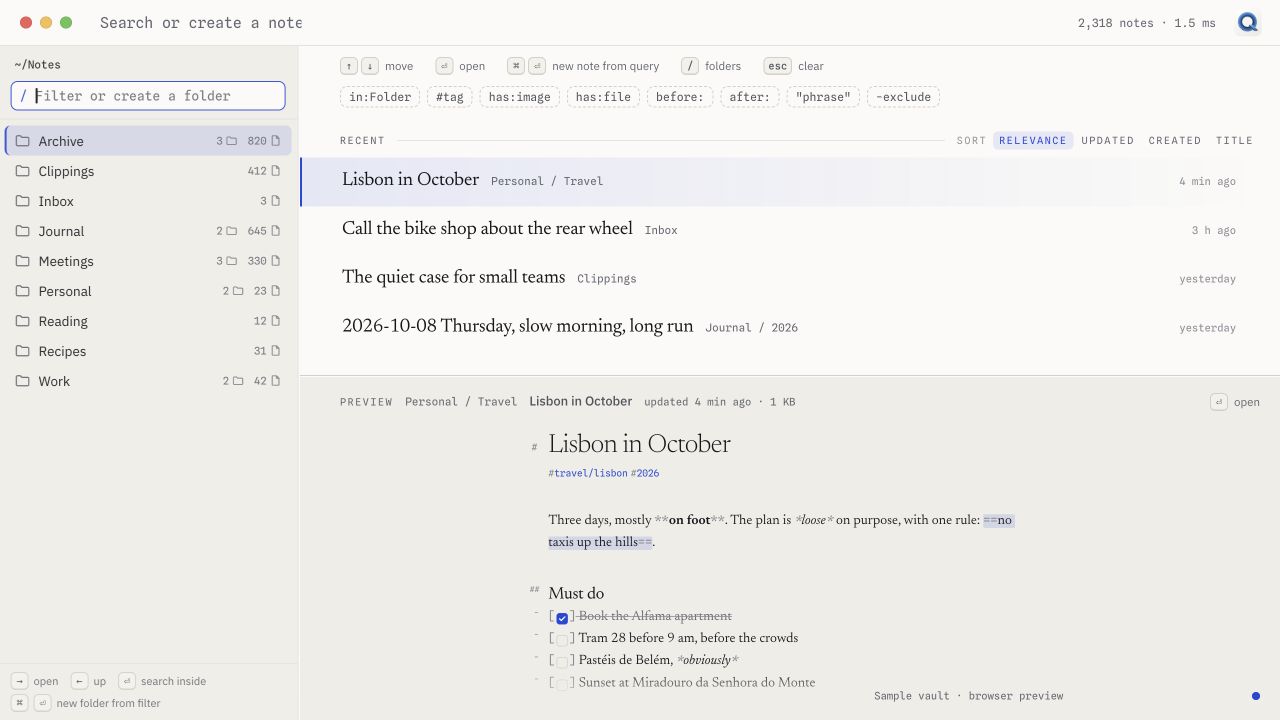
Keep work notes, recipes, trip plans, and everything else in a folder structure that makes sense to you. Browse the tree, search inside a folder, or connect related notes with [[wiki links]]. Quarry watches for outside edits when you open a real notes folder.
03 / SHARE
Let the note
leave the app.
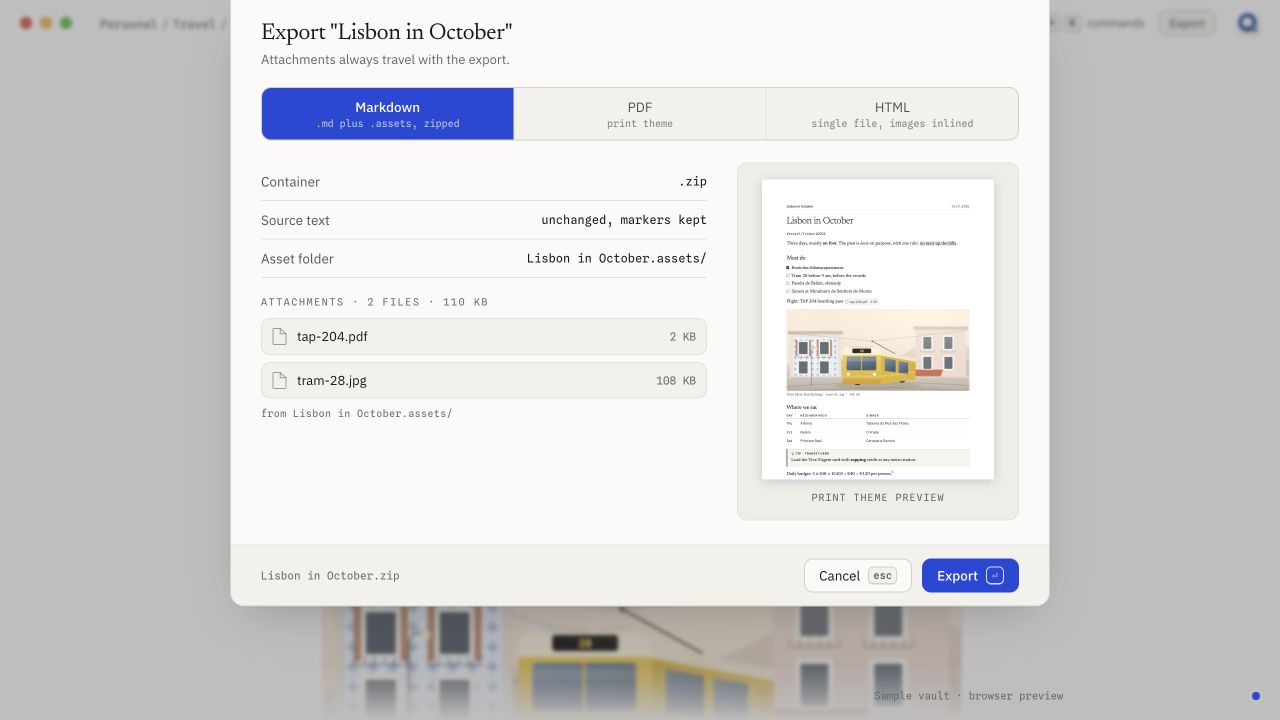
Export Markdown with its attachments, make a self-contained HTML file, or use the print view for a PDF. The export sheet shows which files travel with the note. Sharing something you wrote should be a small task.
Make room for the words
A quiet workspace.
At either end of the day.
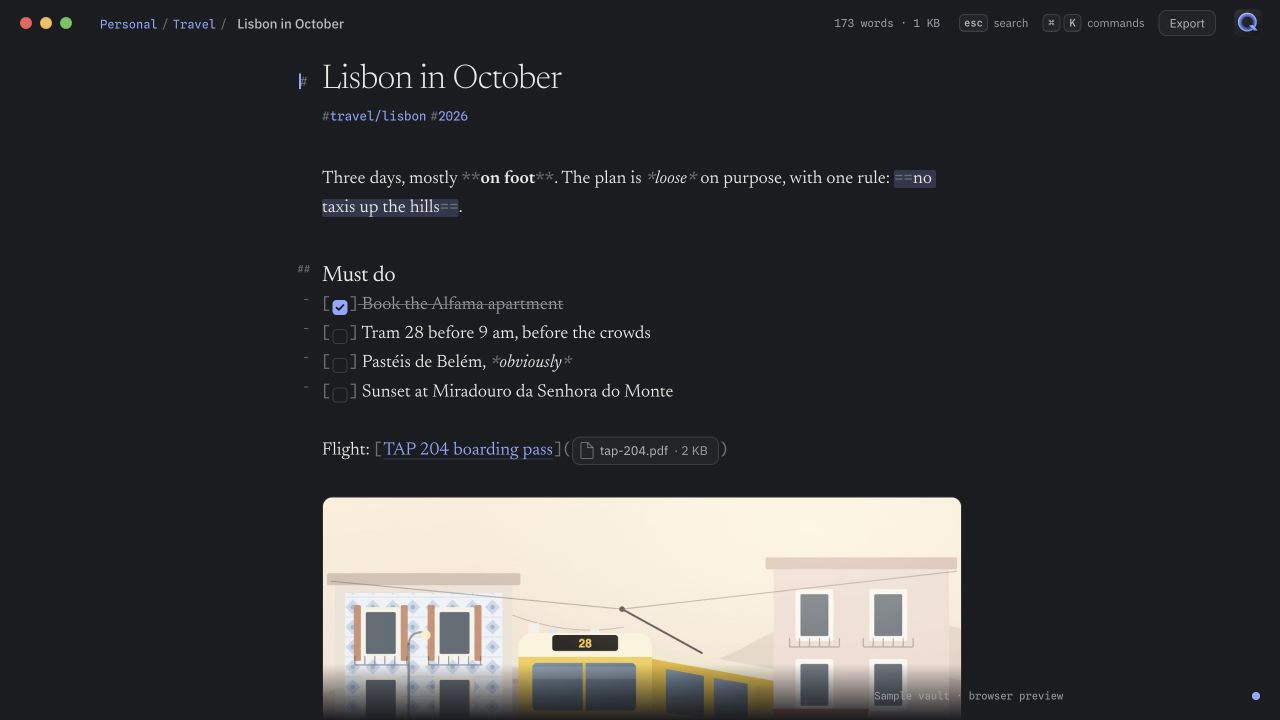
Switch between light and dark, or follow your Mac’s appearance. The same readable editor keeps tasks, attachments, and the words themselves close at hand.
Start with
the notes you have.
Bring a Bear backup with you. Preview the import, then copy notes into a new folder as Markdown with their attachments, links, tags, and original dates where the backup provides them. Quarry leaves the backup untouched. Encrypted notes need to be unlocked in Bear before you make the backup.
Sync follows
the folder.
Use a local folder on its own, or put it in iCloud Drive or Dropbox and let that service sync the files. In a Git repository, Quarry can commit after you stop typing and push in the background. You choose where the folder lives and how it travels.
Why I made it
Useful today.
Readable later.
I built Quarry around a simple idea: a notes app should help me write things down and find them later, while leaving me in control of the files. Plain text is easy to inspect, easy to back up, and useful long after any one app is gone. Quarry adds the parts I want around that: search, a comfortable editor, and a few small ways to keep moving.
The small things,
within reach.
- A command palette for navigation, formatting, and everyday actions.
- Keyboard shortcuts you can change to suit how you work.
- Tasks, tables, code, math, diagrams, images, and file attachments in your notes.
- Wiki links between notes, with a way to create the note that isn't there yet.
Write something down.
Find it again.
A folder of notes, a comfortable place to work, and a quick way back to an idea. That’s Quarry.
Current development build · macOS 13 or later · Screenshots use sample notes in the browser preview.